Pilot invitation
Ultrasound training records for your intensive care unit, in one place
Learners log scans on their phone. Trainers review and sign off from anywhere. You see the whole unit, and the paperwork fills itself.
What it does, and for whom
Unit admins
See who’s on track, who’s behind and who’s waiting for a review, across every module.
What you getTrainers
Review scans from any computer or phone, and keep a record of your own teaching.
What you getLearners
Log a scan in a minute. The FUSIC forms are filled in from the scans automatically.
What you getFor unit admins
Your whole unit, without the spreadsheet
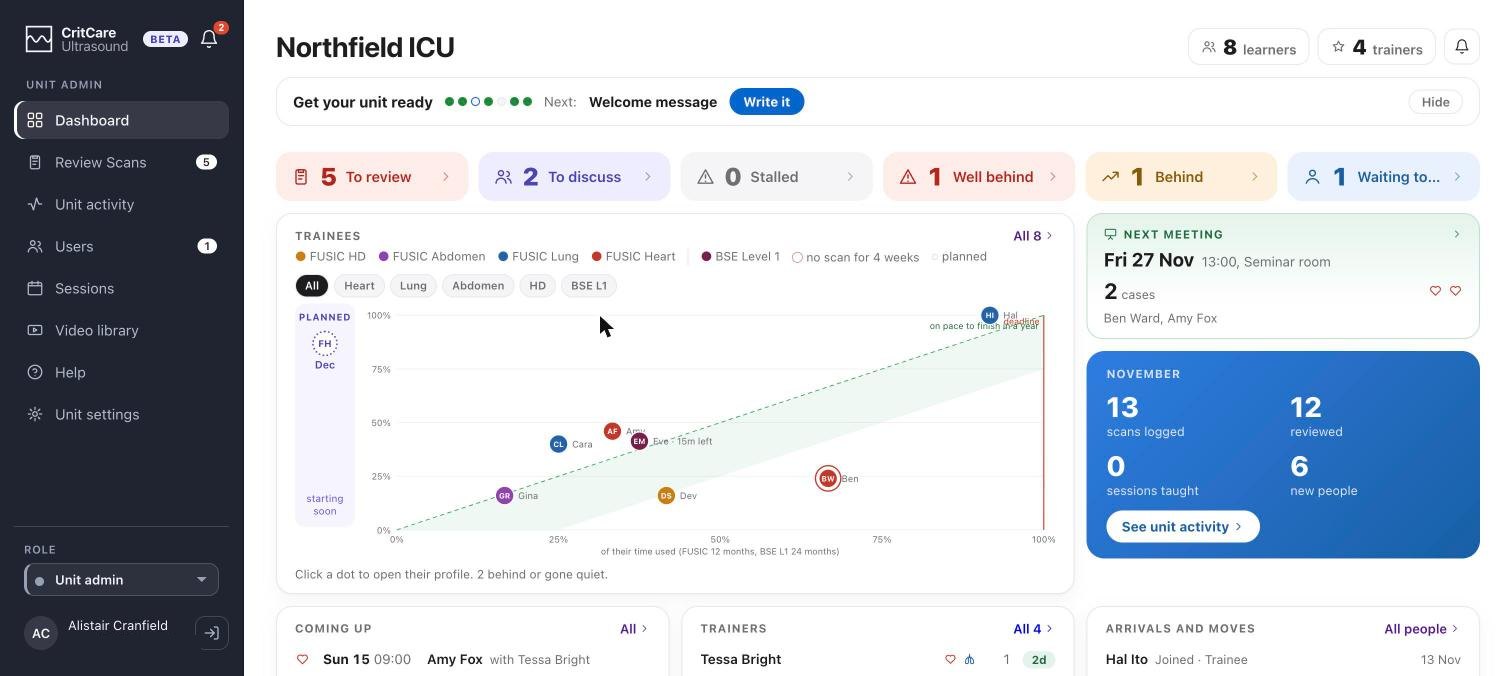
Your unit at a glance
The dashboard opens on what needs you today.
- Scans waiting for review, trainees to discuss, and anyone who has gone quiet
- Every trainee on one chart, against the time they have left
- This month in numbers: scans logged, reviewed and taught
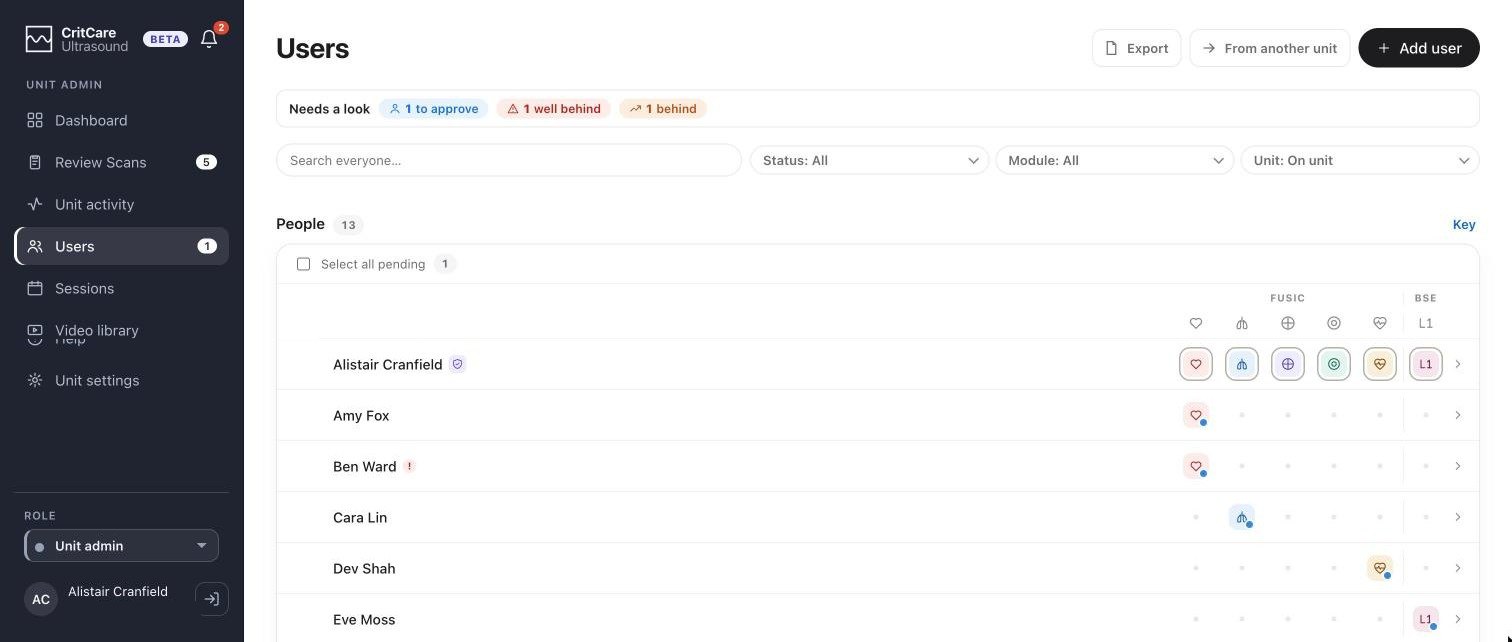
Everyone in one list
Every person on the unit, with every module they're doing.
- A Needs a look bar for anyone to approve, behind or well behind
- People join with your unit's code or a QR poster on the wall
- Someone who moves units brings their record with them
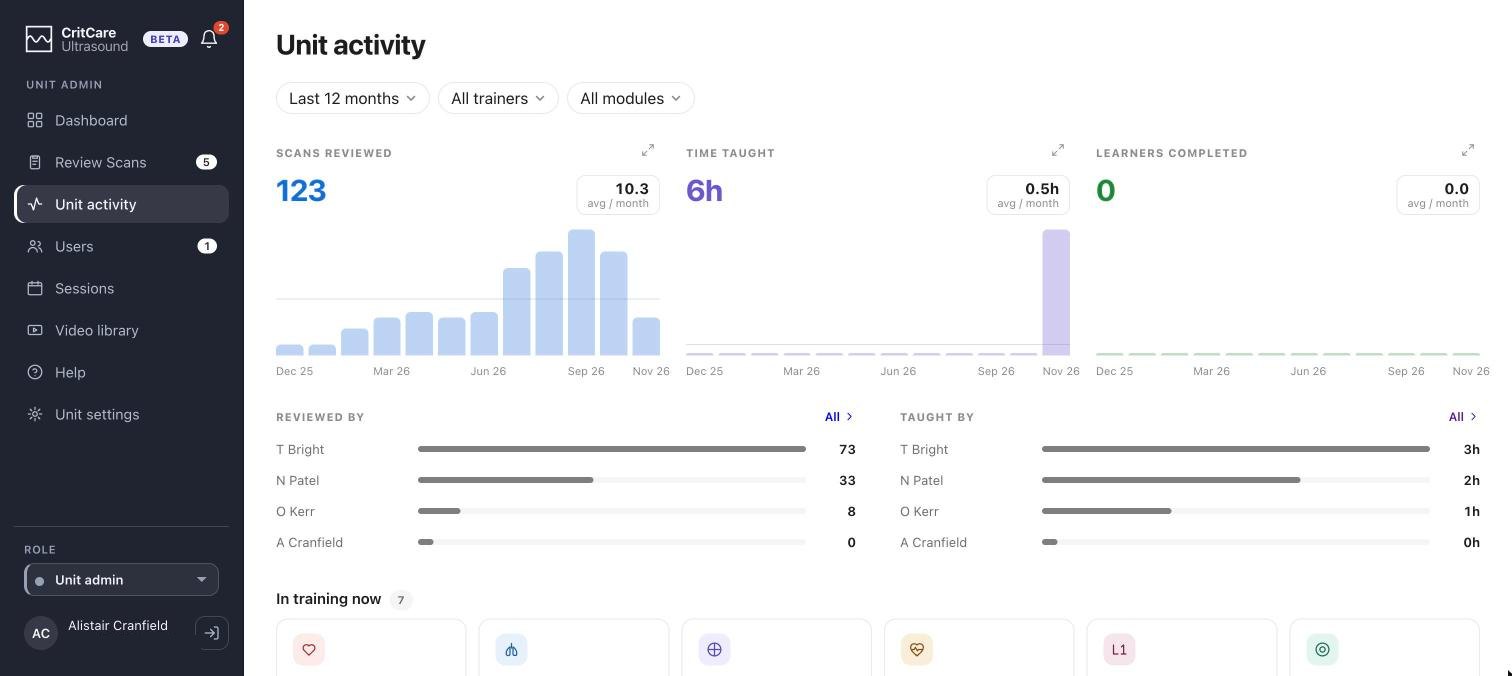
Unit activity, month by month
What your unit has done, ready for a governance meeting or a business case.
- Filter by month, trainer or module
- Scans, teaching sessions and completions
- Credit for every trainer who reviews or teaches
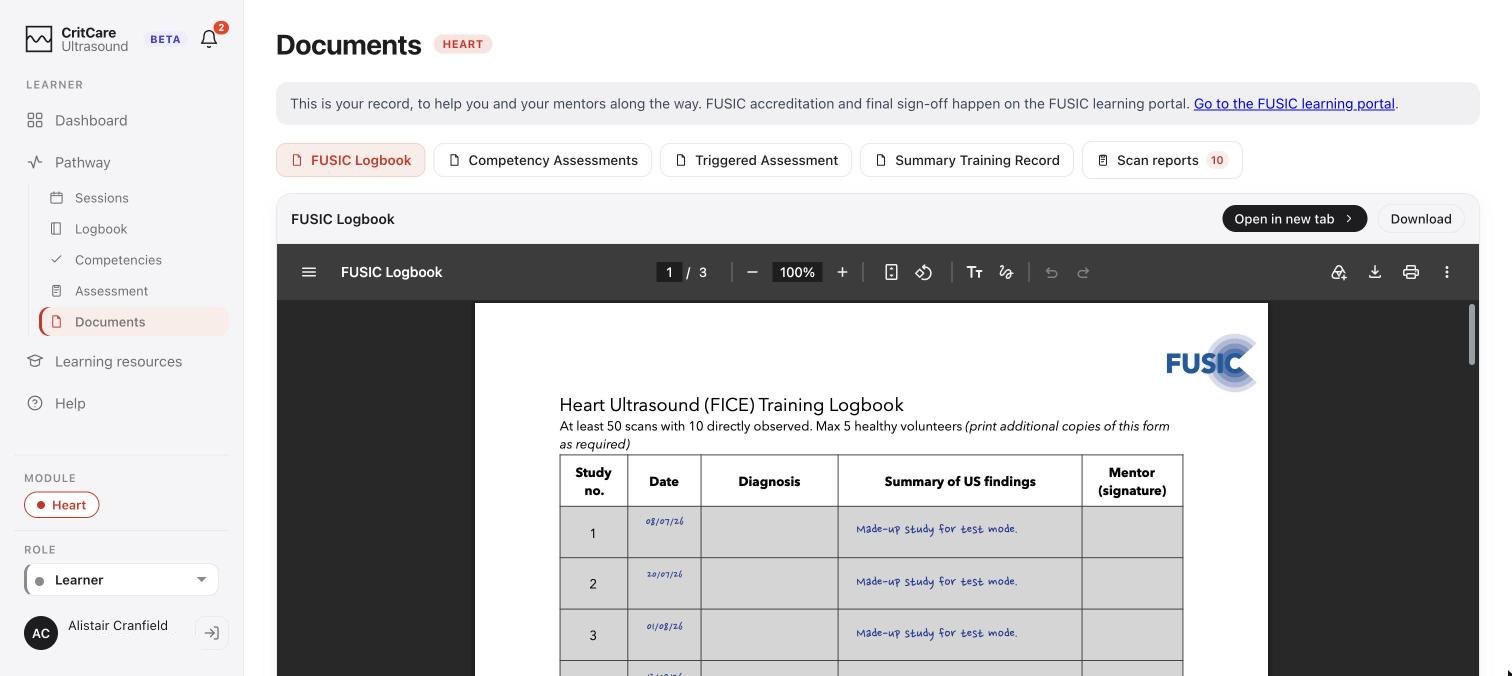
Records and PDFs, filled in for you
Every FUSIC form is filled from the scans that have been logged.
- Logbooks and competency records ready to download
- Upload them to the FUSIC portal, or take them to ARCP or an appraisal
- Nobody copies a scan into a form by hand
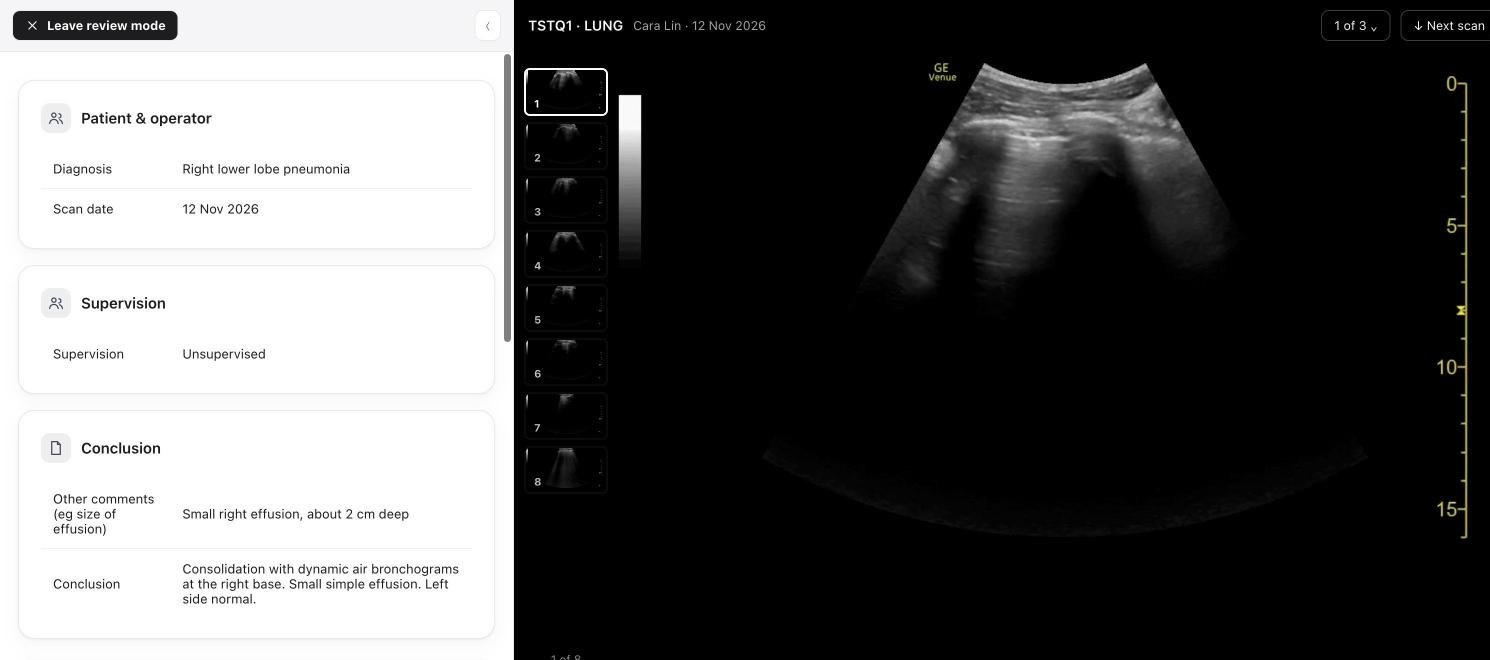
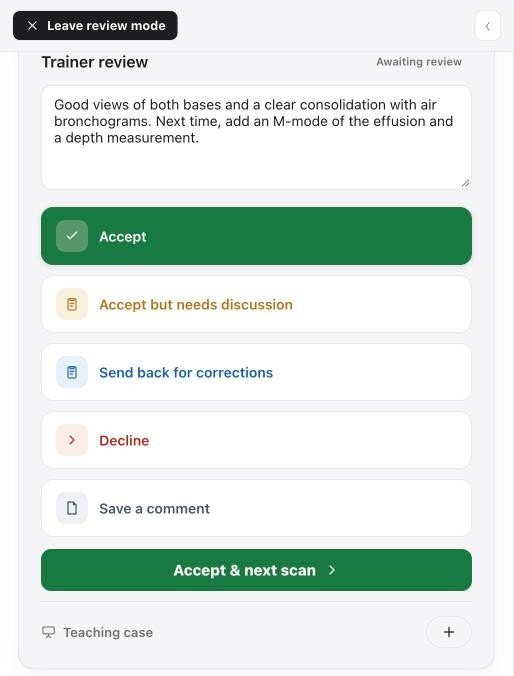
Remote review, wherever you are
Trainers watch every loop with the learner's report beside it, from any computer or phone.
- Every clip the learner saved, full size
- Agree or comment on each part of the report
- Approve, or send it back with what to change
- The learner is told on their phone as soon as you save
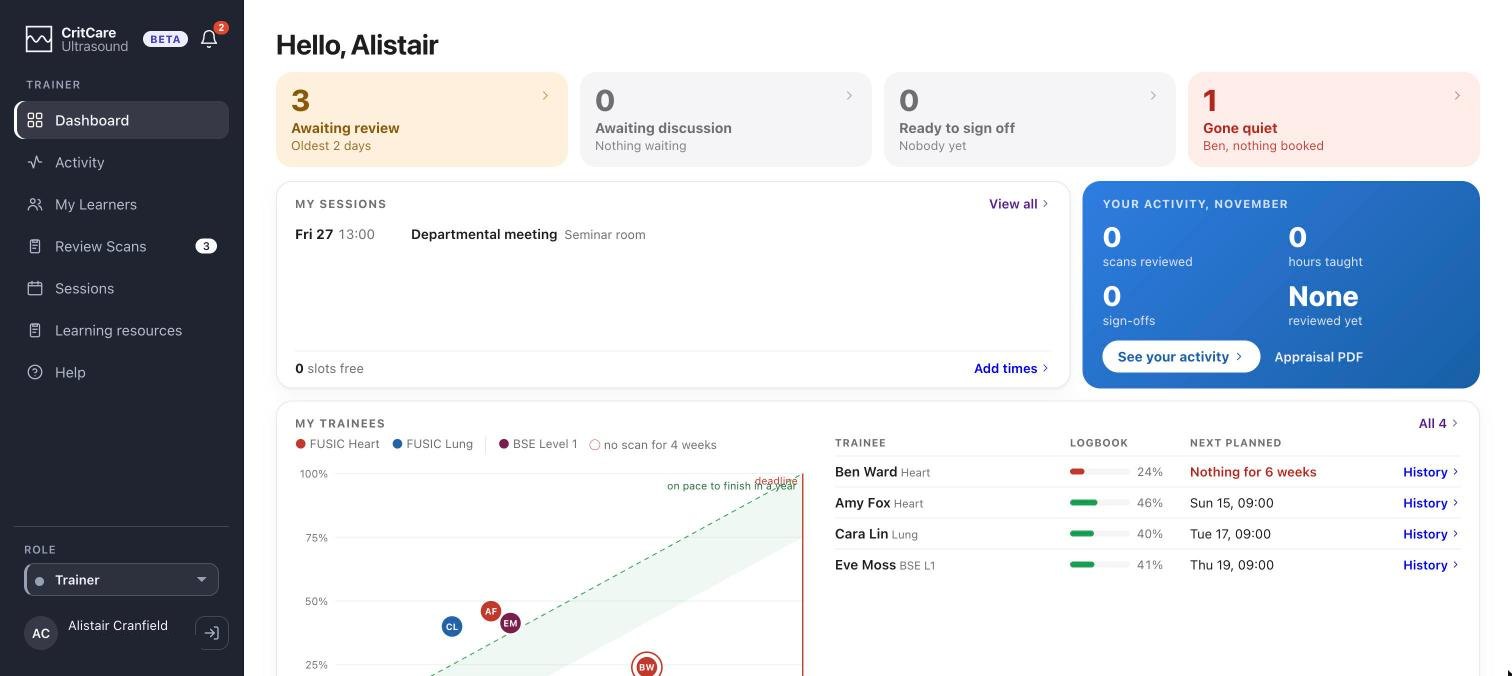
For trainers
Your trainees, your reviews, your record
One page for everything you supervise
What's waiting for you, who you're training and what you've taught.
- Scans waiting for your review
- Each of your trainees and how far they've got
- Your own teaching record as a PDF for appraisal
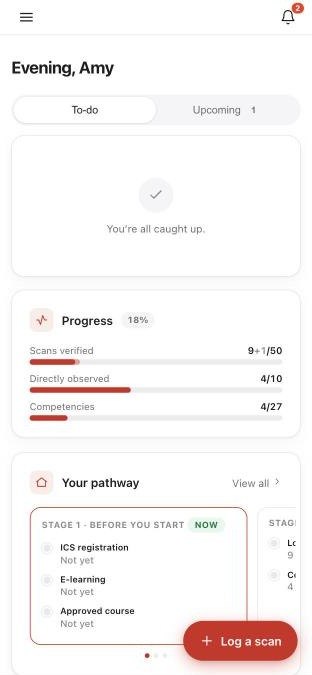
For learners
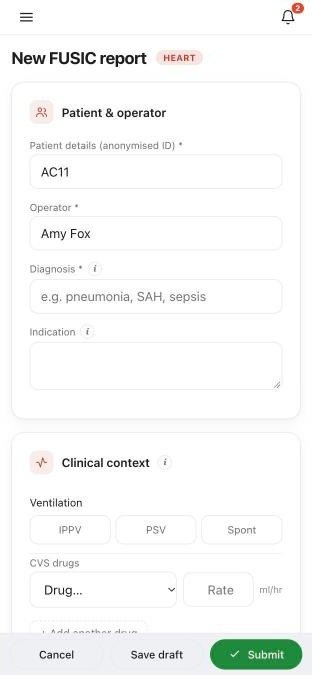
Log a scan on your phone
A report in a minute
The forms are the FUSIC forms, laid out for a phone.
- Progress at a glance on the home screen
- Add the anonymised loops from the machine
- Book a supervised session with a trainer
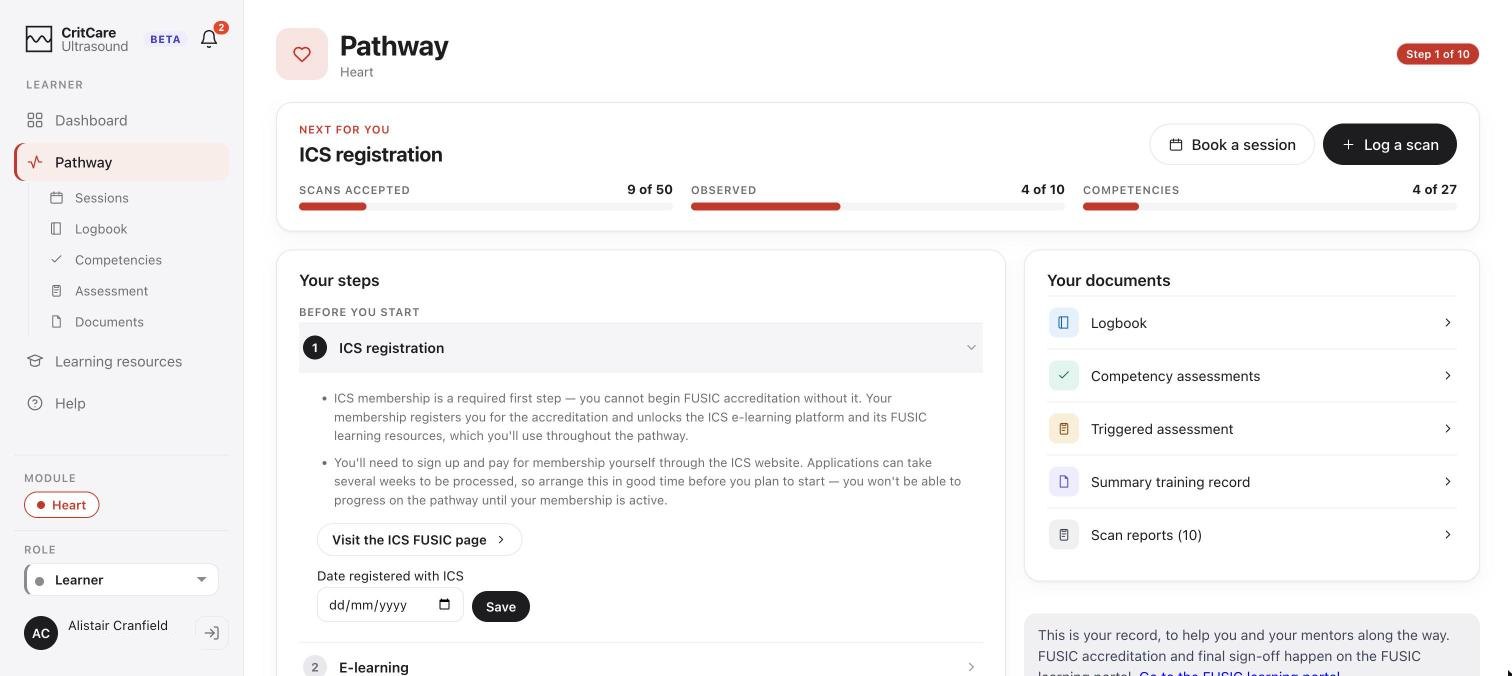
A clear path to accreditation
Always the next step, and nothing to keep track of yourself.
- Scans, supervised scans and case mix counted for you
- Every competency tracked, with a link to learn it
- Your documents in one place, ready for the portal
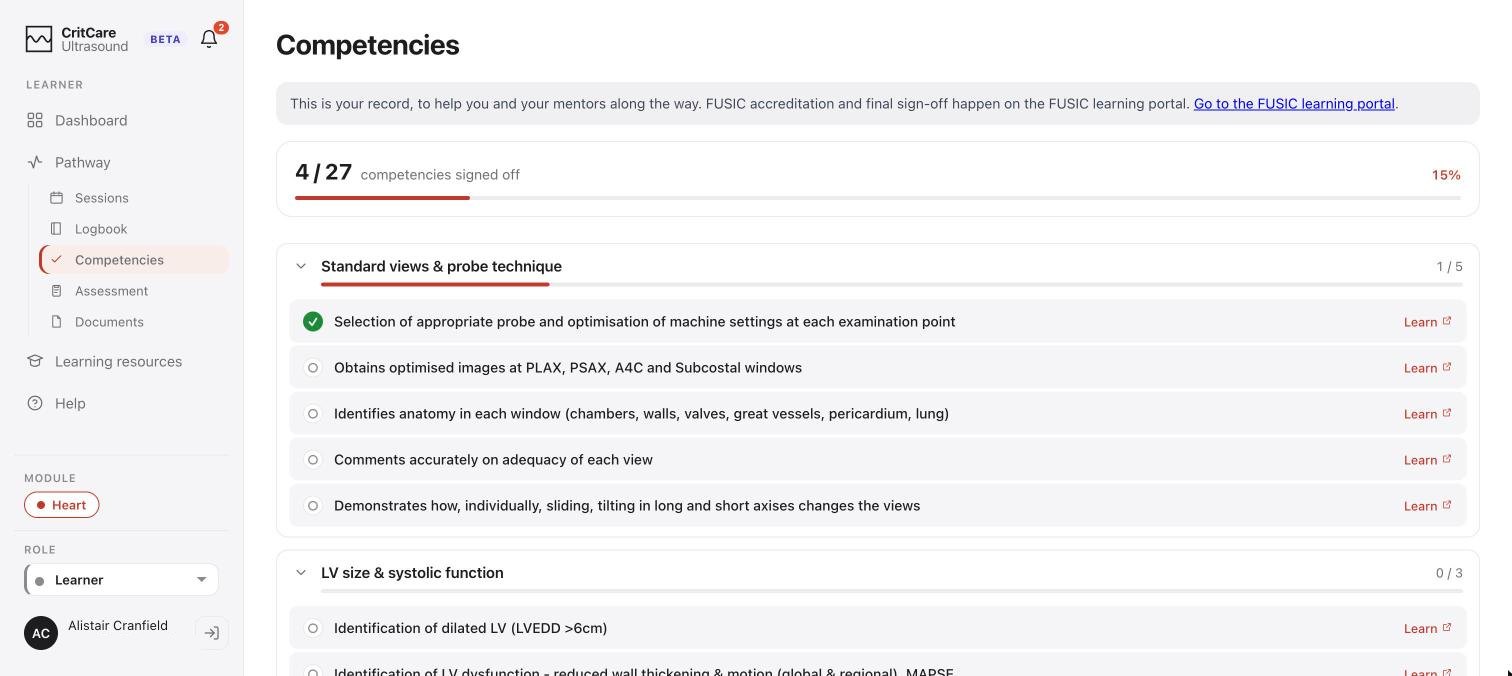
Competencies, signed off as you go
Your trainers sign off each competency as you show it.
- Grouped the way the FUSIC curriculum groups them
- How many are done, and how many are left
The pilot
What the pilot involves
- 1
Register your unit
A short form on this site. Once it’s approved, you’re the unit admin.
- 2
Invite your team
Share the unit code or put the QR poster up. You approve who joins.
- 3
Start logging
Learners log scans and trainers review them, from day one.
- 4
A monthly call
A short call each month to tell us what works and what doesn’t.
Works on what you have
Trust PCs, any phone’s browser and the iPhone app. Nothing to install on the unit.
No patient data
Loops are anonymised on the ultrasound machine before they’re uploaded. Nothing identifies a patient.
Each unit kept separate
Your unit sees only its own people and scans, and everyone signs in with two steps.
Would your unit like to take part?
Register your unit, or email info@critcareultrasound.com and Alistair Cranfield will get back to you.