FUSIC and BSE training for intensive care units
Review a trainee’s scan from anywhere
Trainees log their scans, with the clips, from their phone. Trainers watch the loops beside the report, mark up a frame and sign it off, wherever they happen to be. And the unit can see how everyone’s getting on.
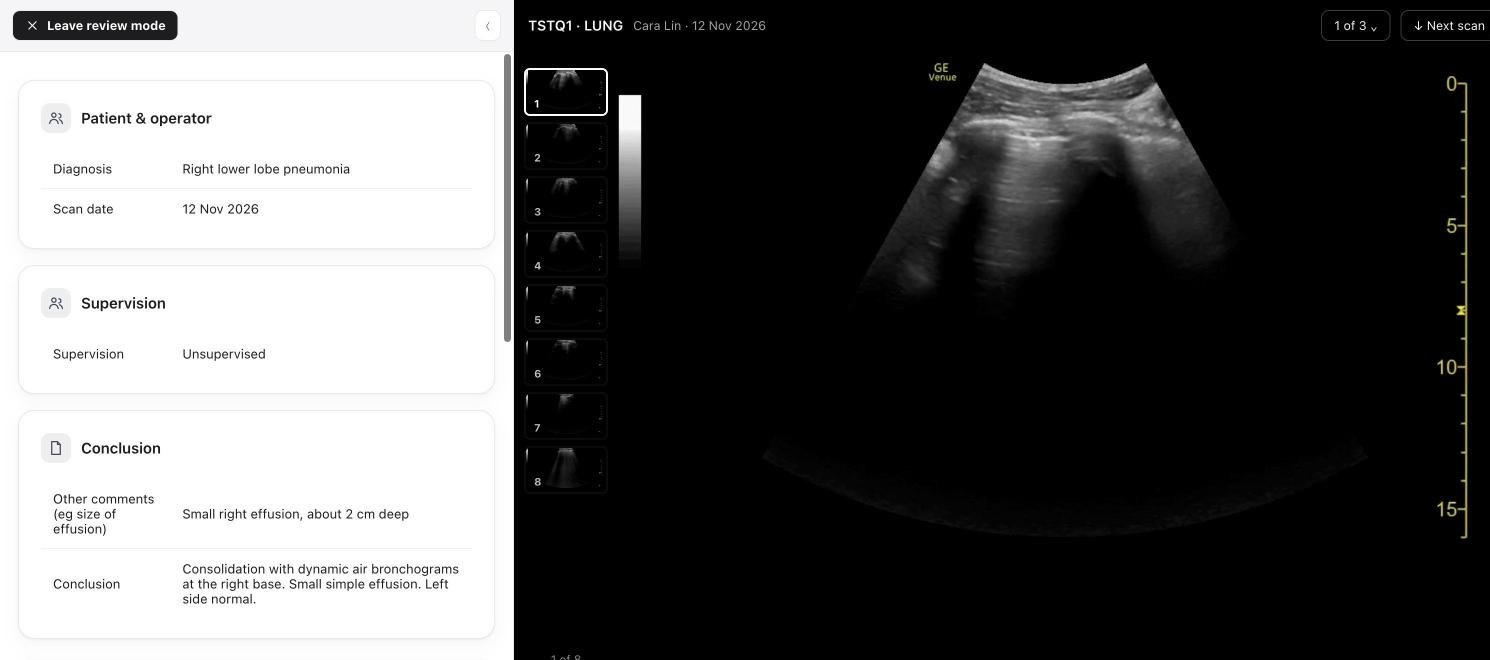
Review mode, on a made-up demo unit. The report and the loops sit side by side.
What each person gets
One place for the whole unit’s training, from the first scan to the final record.
Unit leads
The whole unit at a glance
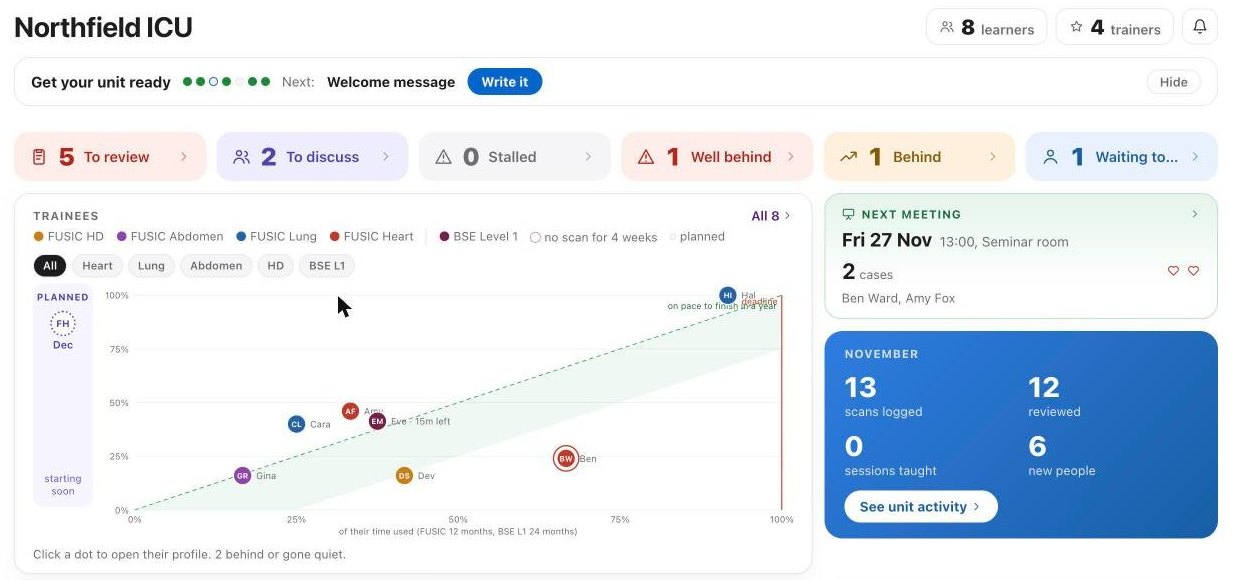
See who’s on track and who’s fallen behind, approve new people, and get every trainer credited for the teaching they do.
Trainers
Review between other jobs
- A list of the scans waiting for you
- The loops beside the report, frame by frame
- Mark up a frame, and measure it in centimetres
- Accept it, or send it back with what to change
- Your own teaching record, ready for appraisal
Supervised sessions are booked through the site and go straight into your calendar.
Trainees
Log a scan in a minute
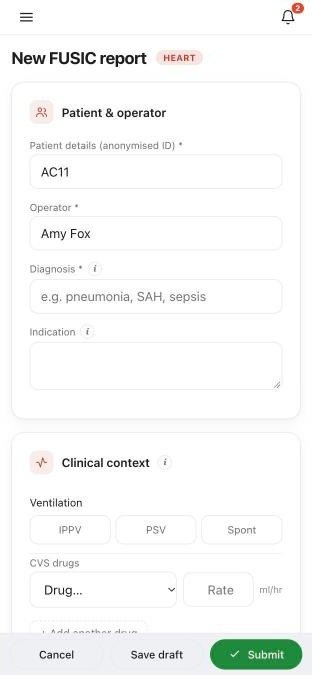
On the iPhone app or in any browser. The FUSIC forms fill themselves in, and progress against every target is always in view.
How a scan gets reviewed
The trainer doesn’t need to be on the unit at the same time as the trainee.
- The trainee logs a scanThey fill in the report and add their clips, from their phone or a computer.
- A trainer reviews itWherever they are, they watch the loops, mark up anything worth pointing out, and accept it or send it back.
- The logbook updatesIt counts towards their logbook, their forms fill in, and everyone can see their progress.
Joining the pilot
A handful of units are trying it this winter. Here’s what that means for yours.
Patient data
Nothing that identifies anyone
Clips are anonymised on the ultrasound machine before they’re uploaded. Each Trust agrees its own use.
Setting up
About ten minutes
Register your unit, we check your details, and then you share your unit’s join link or put up its QR poster.
Your unit
Kept to itself
Your unit sees only its own people and scans, and everyone signs in with two steps.
Questions unit leads ask
Does it replace the FUSIC or BSE portal?
No. Accreditation and final sign-off still happen there. This is where the day-to-day training happens: the logbook, the reviews, supervised sessions and progress. It’s an independent service, not an ICS or BSE product.
What does my Trust need to approve?
Using it for training, with anonymised clips. No patient identifiers are ever uploaded. We’re happy to help with anything your information governance team asks.
Does it work on Trust computers and Android phones?
Yes. It runs in any up-to-date browser, on Trust PCs and any phone. The iPhone app adds notifications and logging scans with no signal.
Who runs it?
Cranfield Quinn Medical Ltd. It was built by an intensive care consultant who leads ultrasound training on his own unit, where it’s used every day.